Facebook Story Ads: A Beginner’s Guide
How Facebook story ads work, how to set one up in Ads Manager, the specs, what they cost, and how to see story ads from any advertiser in the Ad Library.

By Ayu Moz
Writer, Facebook Story Viewer
Last updated:
5 min read
Facebook story ads are full-screen vertical ads that play between people’s stories, marked Sponsored. You create them in Meta Ads Manager by choosing the Facebook Stories placement and uploading a 9:16 image or video.
They’re a good fit for offers, launches and anything that works better full screen than in the Feed. Here’s how they work, how to set one up, and how to see story ads from other brands.
How do Facebook story ads work?
Facebook story ads work like regular stories with 3 differences: they come from advertisers you might not follow, they carry a Sponsored label, and they have a call to action button.
- They appear between organic stories as people tap through their stories tray.
- They can be images, videos or carousels. Carousels show several cards in a row.
- They include a button, like Shop now, Learn more or Send message.
- They can be skipped with one tap, just like any story.
That last point matters most. You have about 1 to 2 seconds to stop the tap, so the first frame has to do the work.
How do you create a Facebook story ad?
You create a Facebook story ad in Meta Ads Manager, the same place you create every Facebook ad.
- Open Meta Ads Manager and click Create.
- Choose an objective, like Traffic, Leads or Sales.
- Set your budget, schedule and audience at the ad set level.
- Under Placements, choose Manual placements.
- Check Facebook Stories (and Instagram Stories if you want both).
- At the ad level, upload a 9:16 image or video, then add your text, link and button.
- Check the Stories preview and click Publish.
Before you publish, open Advanced preview. It shows the same ad in every placement, so you can check that nothing important gets covered in the Stories version.
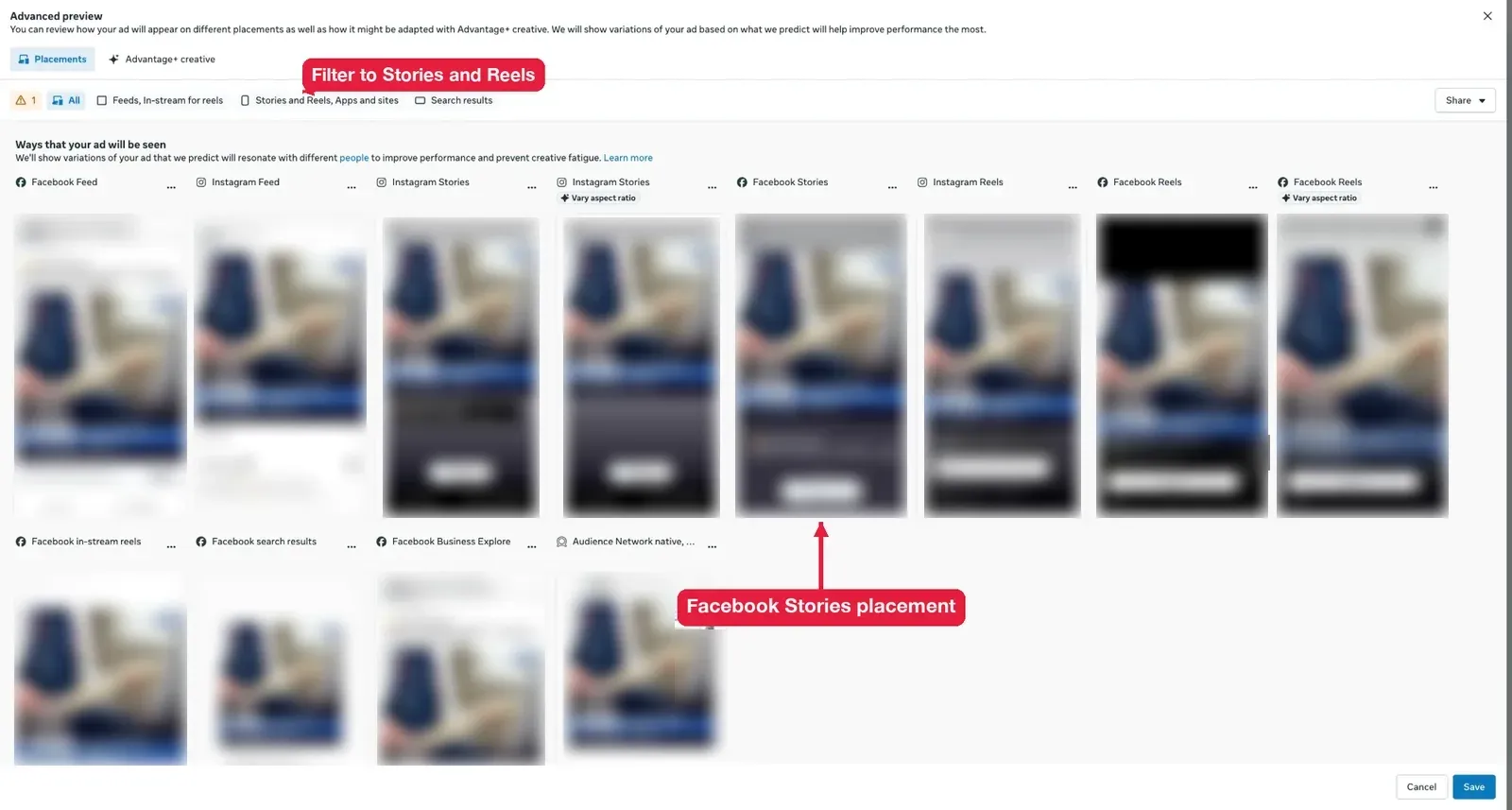
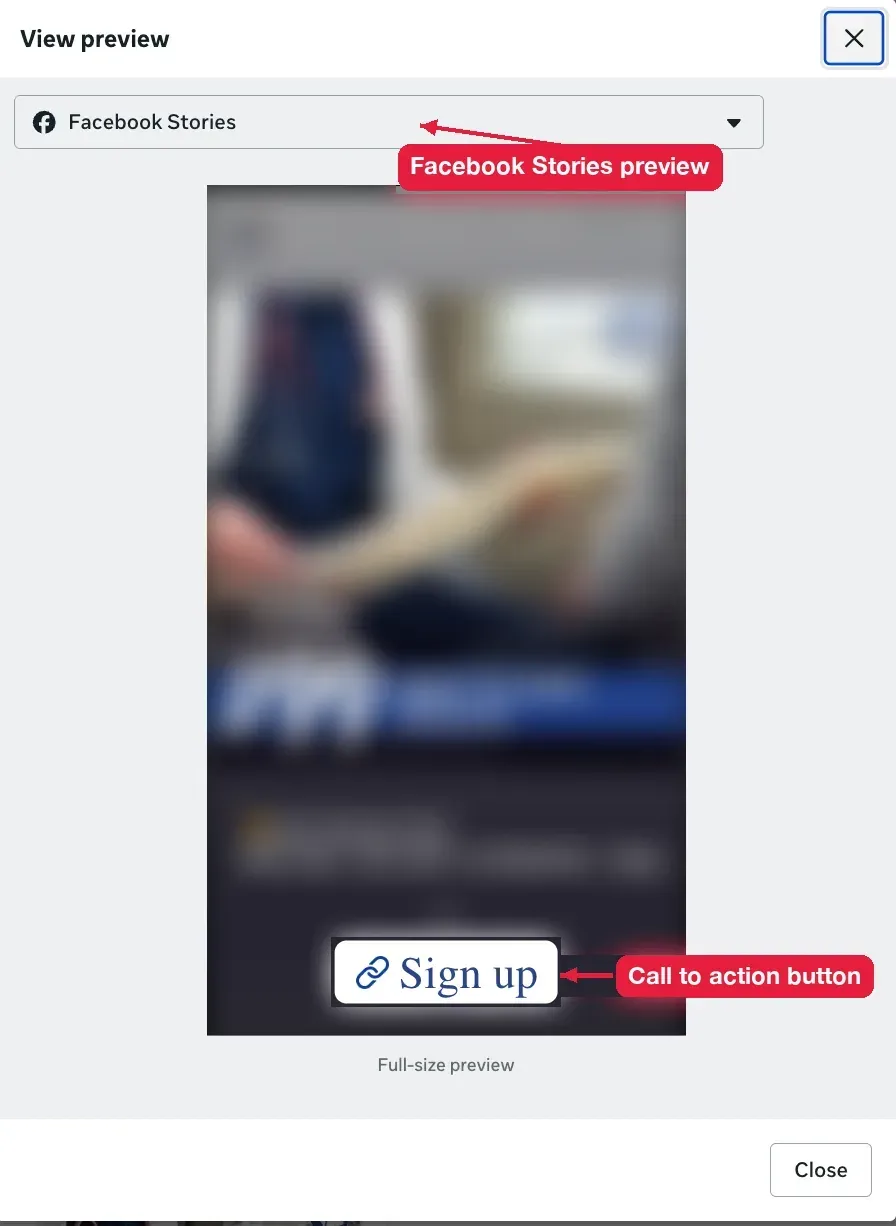
Pick Facebook Stories from the preview menu to see the ad full size, the way people will see it between stories.
Advantage+ placements (the default) can also show your ad in stories, mixed with Feed and Reels. Manual placements give you full control, which is better for your first tests.
What makes a good Facebook story ad?
A good Facebook story ad looks like a story, not like a TV commercial. These 5 rules cover most of it:
- Show the product in the first second. Logo intros get skipped.
- Shoot vertical. Cropped horizontal videos look like ads and get tapped past.
- Add captions. Many people watch with the sound off.
- Keep 1 call to action. One offer, one button.
- Use real people and real places. Phone-shot clips often beat studio ads in stories.
What are the Facebook story ad specs?
Facebook story ads use a 9:16 vertical format. These are the specs to design for:
| Spec | Recommendation |
|---|---|
| Aspect ratio | 9:16 |
| Size | 1080 x 1920 px (Meta also lists 1440 x 2560 px) |
| Image files | JPG or PNG |
| Video files | MP4 or MOV |
| Image display time | About 5 seconds |
| Primary text | 125 characters or less |
| Safe zone | Keep text out of the top and bottom 14 percent |
Meta updates these limits, especially video length, so check the spec shown in Ads Manager when you upload. The design rules are the same as organic stories, including the safe zone. The full breakdown is in the guide to Facebook story size.
How much do Facebook story ads cost?
Facebook story ads don’t have a fixed price. You set a daily or total budget, and Meta charges based on an auction. Costs depend on your audience, your country, the time of year and how good your ad is.
My advice for a first test: run 2 versions of one ad at a small daily budget for 7 days, then keep the winner. And before paying, test the idea as a free organic story. If nobody replies to it there, it won’t do better with money behind it. That test belongs in your Facebook story content strategy.
Can you see Facebook story ads?
Yes. You see story ads in your own stories tray, and you can see any advertiser’s active ads in the Meta Ad Library. What you can’t see is who watched someone else’s ad.
Where do story ads show up?
Story ads show up between stories in the Facebook app and on facebook.com. You’ll notice them by the Sponsored label under the advertiser’s name and the button at the bottom.
How do you see a competitor’s story ads?
You see a competitor’s ads in the Meta Ad Library, which is free and doesn’t need an ad account.
- Go to facebook.com/ads/library.
- Pick your country and choose All ads.
- Search for the competitor’s Page name, or a keyword like “running shoes” to see every active ad in your niche.
- Filter by platform and set the status to Active.
- Look for vertical images and videos. Those are the ones built for stories.
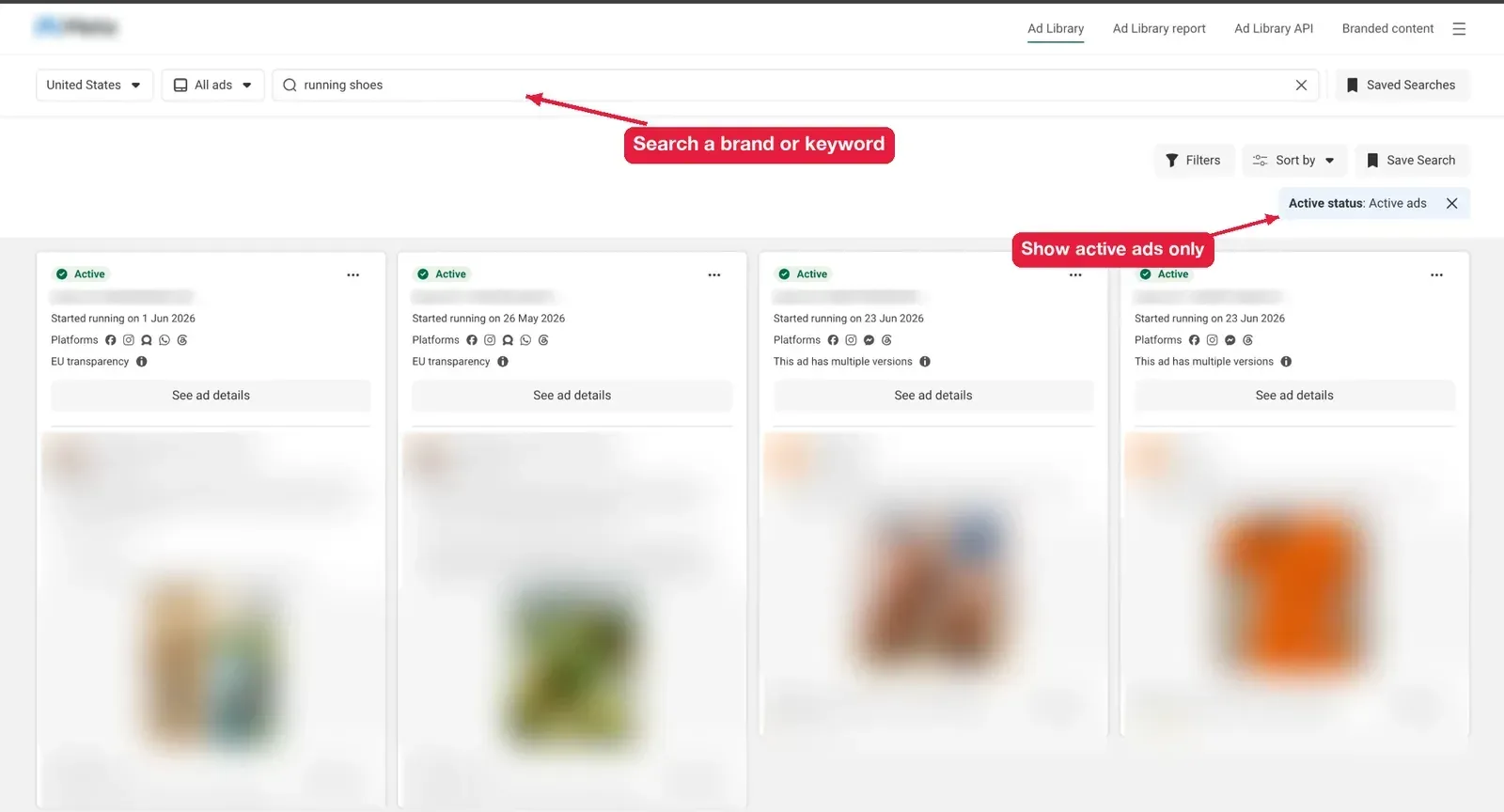
The Ad Library doesn’t always label which ads ran in stories, so judge by the format. For their unpaid stories, use an anonymous Facebook story viewer to watch their public stories without showing up on their viewer list.
Can you see who viewed your story ad?
No. Ads don’t have a viewer list with names. Ads Manager gives you numbers instead: reach, impressions, clicks and cost per result. Names only appear on the Facebook story viewer list of regular, unpaid stories.
Do story ads work with a small budget?
Yes. Stories don’t need a big budget to test. What they need is a clear offer and a strong first frame. A small budget spent on 2 good versions teaches you more than a big budget on 1 average ad.
Can you hide story ads?
Yes, one at a time. Tap the three dots on the ad and choose Hide ad, or hide all ads from that advertiser. You can’t turn off story ads completely, but your ad preferences let you limit some topics.