How to Download Facebook Stories
Save any public Facebook story as a JPG or MP4, save your own stories from the app, and find the files on iPhone, Android or desktop.

By Ayu Moz
Writer, Facebook Story Viewer
Last updated:
5 min read
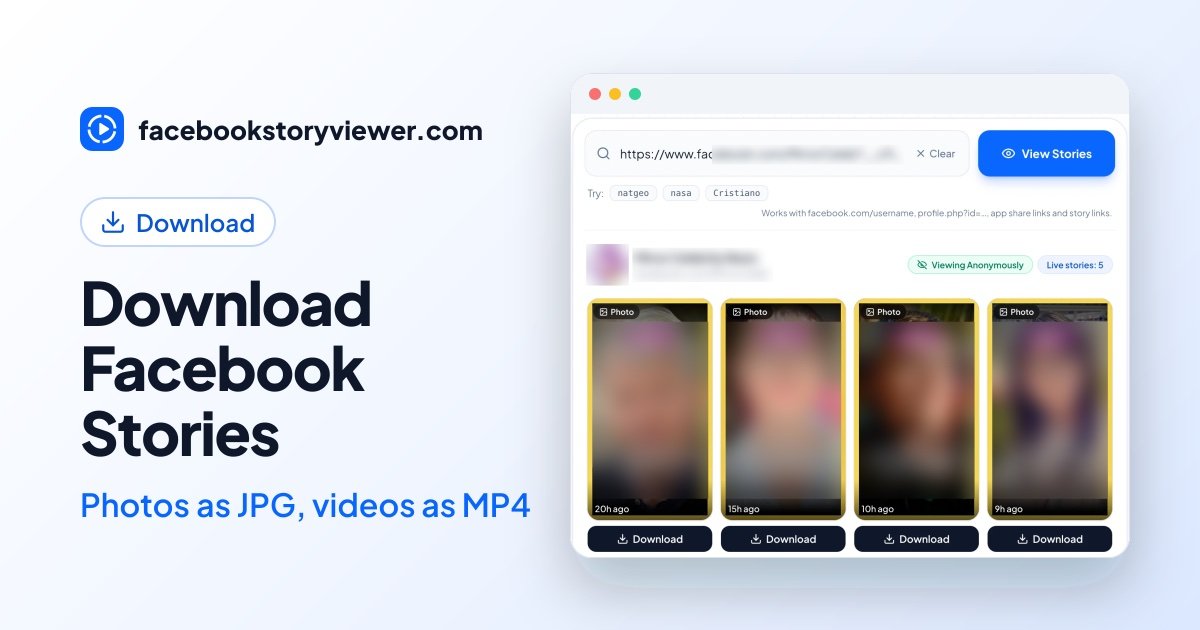
To download a Facebook story, paste the profile link into a story downloader and tap Download under the story. Photo stories save as JPG files and video stories save as MP4 files, in the quality they were posted. This works for any story set to Public, and you don’t need to log in.
Your own stories are easier. Facebook has a save button for them inside the app. This guide covers both cases, then shows where the files end up on each device.
How do you download someone’s public Facebook story?
You download someone’s public Facebook story with a web-based downloader, because the Facebook app has no download button for other people’s stories.
- Copy the profile link. Open the profile or Page, tap the three dots, then tap Copy link. The username alone also works.
- Open Facebook Story Viewer and paste the link into the search box.
- Tap View Stories. Every live public story appears in a grid.
- Tap Download under the story you want. You can also open it full screen first and download from there.
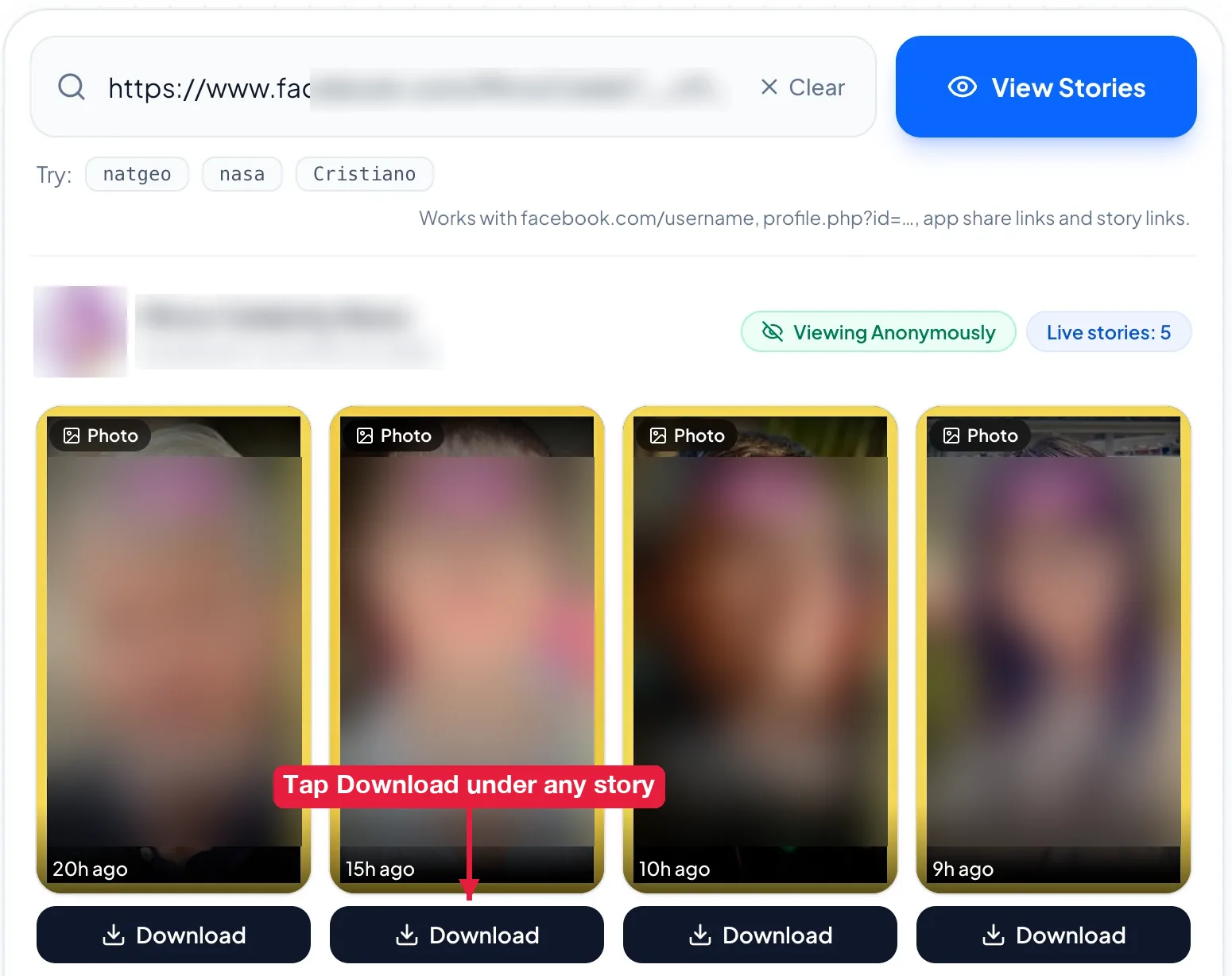
The file keeps the original quality. If the uploader posted in HD, you get HD. Nothing is added to the file, and no watermark is placed on it.
Have a link to one specific story instead of a profile? That works too. In the Facebook app, open the story, tap the three dots, tap Copy link, and paste that link into the search box. You get that one story instead of the whole tray.
Story links from Facebook are temporary. Download within a few hours of searching, or search the profile again to get fresh links.
How do you save your own Facebook story?
You save your own Facebook story from the three-dot menu while the story is still live.
- Tap Your story at the top of your Feed.
- Tap the three dots in the top-right corner of the story.
- Tap Save photo or Save video.
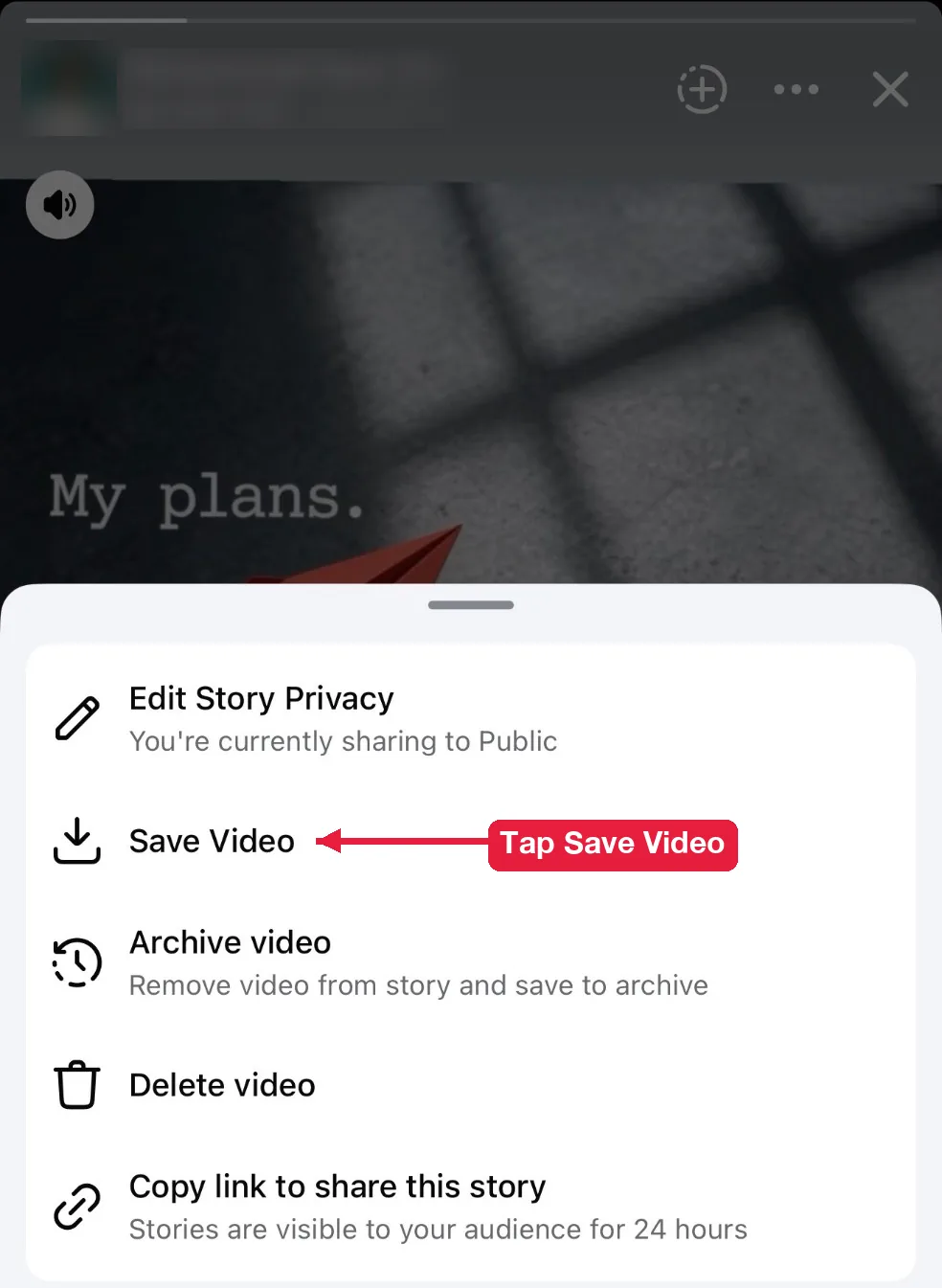
The file goes to your camera roll on iPhone or your Gallery on Android.
Did your story already expire? Then it’s in your Facebook story archive, as long as the archive setting was on when you posted it. You can open any archived story and save it the same way.
Where do downloaded Facebook stories go?
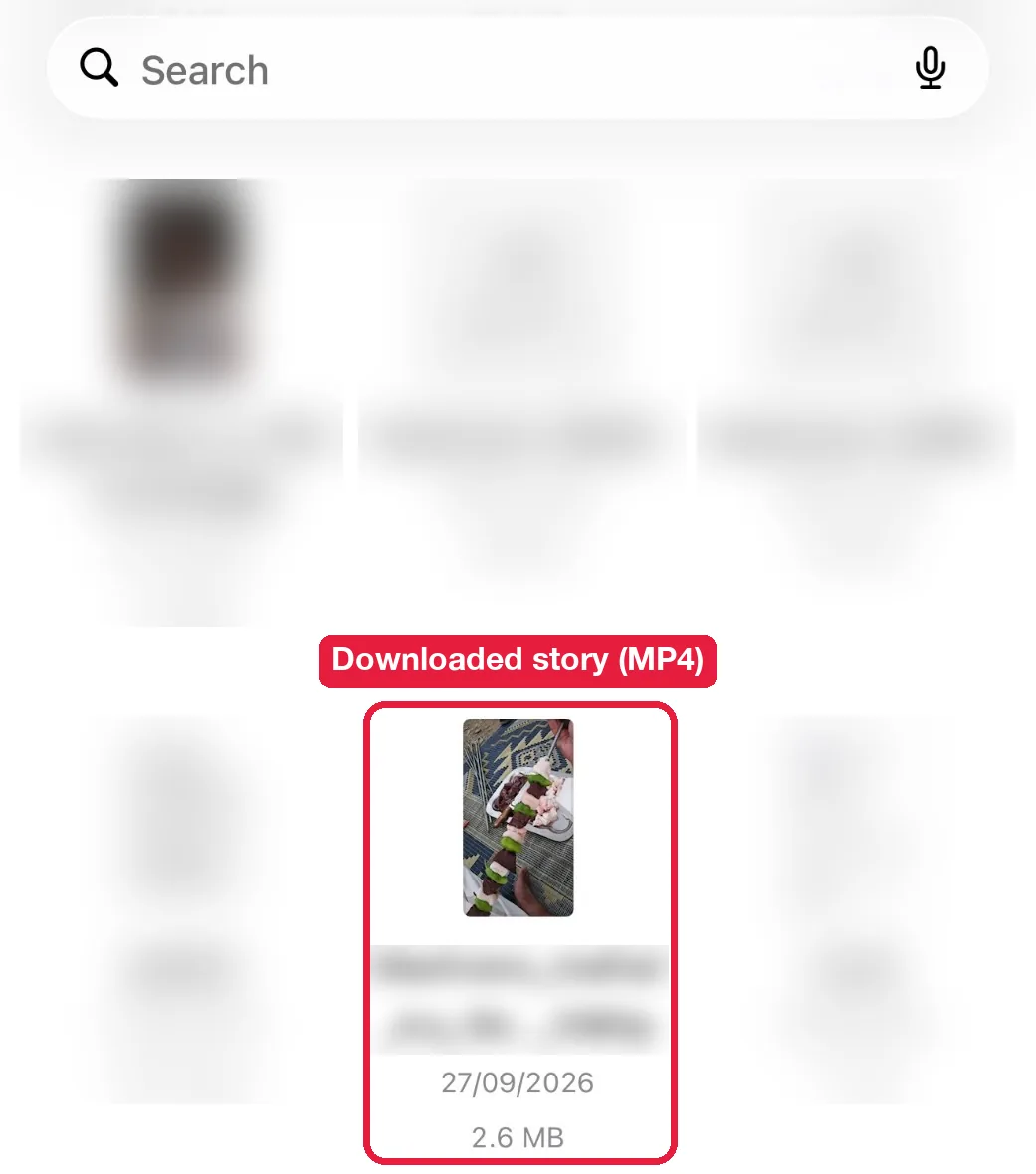
Downloaded stories go to your browser’s default download folder. The exact place depends on your device:
| Device | Where to find the file | Tip |
|---|---|---|
| iPhone or iPad (Safari) | Files app, then Downloads | Open the video, tap Share, then Save Video to move it to Photos |
| Android (Chrome) | Downloads folder | Photos and videos also show in Gallery or Google Photos |
| Windows | Downloads folder | Press Ctrl + J in Chrome to open recent downloads |
| Mac | Downloads folder | Press Option + Command + L in Safari to open downloads |
What if a Facebook story won’t download?
A Facebook story won’t download for one of 3 reasons: the story isn’t public anymore, the link expired, or your browser opened the file instead of saving it.
“No active stories found”
This message means the profile has no public story live right now. Stories expire after 24 hours, and friends-only stories never appear. If you’re sure a story is live, go through the 10 checks for Facebook stories not showing.
The download stopped working
The download stops working when Facebook’s temporary story link expires. Search the profile again to get a fresh link, then tap Download.
The video plays instead of downloading
Some mobile browsers open MP4 files in a player instead of saving them. Tap the Share button in the player and choose Save Video, or long-press the Download button and choose Download link.
Can you download a private Facebook story?
No. Private stories are only sent to the accounts the owner chose, so no downloader can reach them. If you can see a friend’s private story in your app, the only option is to ask them to send it to you.
Does the owner know when you download their story?
No. Facebook doesn’t notify anyone about downloads, and a downloader that doesn’t use your account doesn’t add you to the viewer list either. It’s the same reason people use these tools to view Facebook stories anonymously.
Why does a downloaded story look blurry?
A downloaded story looks blurry when the original upload was low quality. Facebook compresses stories when they’re posted, and a downloader saves the file as Facebook stores it. It can’t add detail that isn’t there. Photos posted at 1080 x 1920 pixels look sharp. Small screenshots that were stretched to fill the screen don’t.
Do you need an app to download Facebook stories?
No. Everything above works in Safari, Chrome, Firefox or Edge on any device. You don’t need to install an app or an extension.
Can you download every story from a profile at once?
No, not in one file. Each story downloads as its own JPG or MP4, so a profile with 6 live stories means 6 taps. That’s on purpose. It keeps every file in its original format and quality.
Is it safe to download Facebook stories?
Yes, if the tool runs in your browser and never asks for your Facebook login. The risky ones are apps and extensions that want your password or access to all your browsing data. You don’t need either to save a public story.
Can you repost a story you downloaded?
Only with the owner’s permission. A public story still belongs to the person who posted it. Keep downloads for personal reference, and ask before you share anything.