Why Can’t I See Someone’s Facebook Story? 10 Reasons and Fixes
Expired stories, audience settings, muting, blocking and app glitches. The 10 reasons a Facebook story won’t show or load, and the fix for each one.

By Ayu Moz
Writer, Facebook Story Viewer
Last updated:
5 min read
You can’t see someone’s Facebook story because the story expired, the owner didn’t share it with you, or they have no story live right now. Those 3 reasons explain most cases. The other 7 are settings on your side, blocks, and app problems.
Go through the list in order. Each reason has a quick way to tell if it applies to you and a fix.
Why can’t you see someone’s Facebook story?
There are 10 reasons a story doesn’t show up. The first 4 are about the story. The last 6 are about your account, your app or your connection.
1. The story expired
Facebook stories stay live for 24 hours. After that, they move to the owner’s private archive, and nobody else can see them in the app or through any tool.
How to tell: their story ring is gone from the stories tray.
2. The story isn’t shared with you
Every story has an audience: Public, Friends or Custom. If you aren’t in the audience, Facebook doesn’t show you the story at all.
This also applies to outside tools. Web tools like this public Facebook story viewer only load stories set to Public, so a friends-only story shows as “no active stories.”
3. They hid their story from you
Owners can hide stories from specific people with the “Hide story from” setting. Their stories won’t appear for your account, even if you’re friends.
How to tell: you can’t, and Facebook doesn’t notify you. If mutual friends see their stories and you never do, this is probably the reason.
4. They haven’t posted a story right now
A profile only shows a story ring while at least 1 story is live. Lots of people post irregularly. Check again later.
5. You muted their stories
Muted stories disappear from your stories tray, and it’s easy to mute someone by accident with a long press.
Fix: open their profile, tap the three dots and look for Unmute story. Here’s how to mute and unmute someone’s story step by step.
6. You’re blocked, or their account is gone
If someone blocked you, or deactivated or deleted their account, their profile and stories disappear for you.
How to tell: you can’t find their profile in search, even through a mutual friend’s friends list.
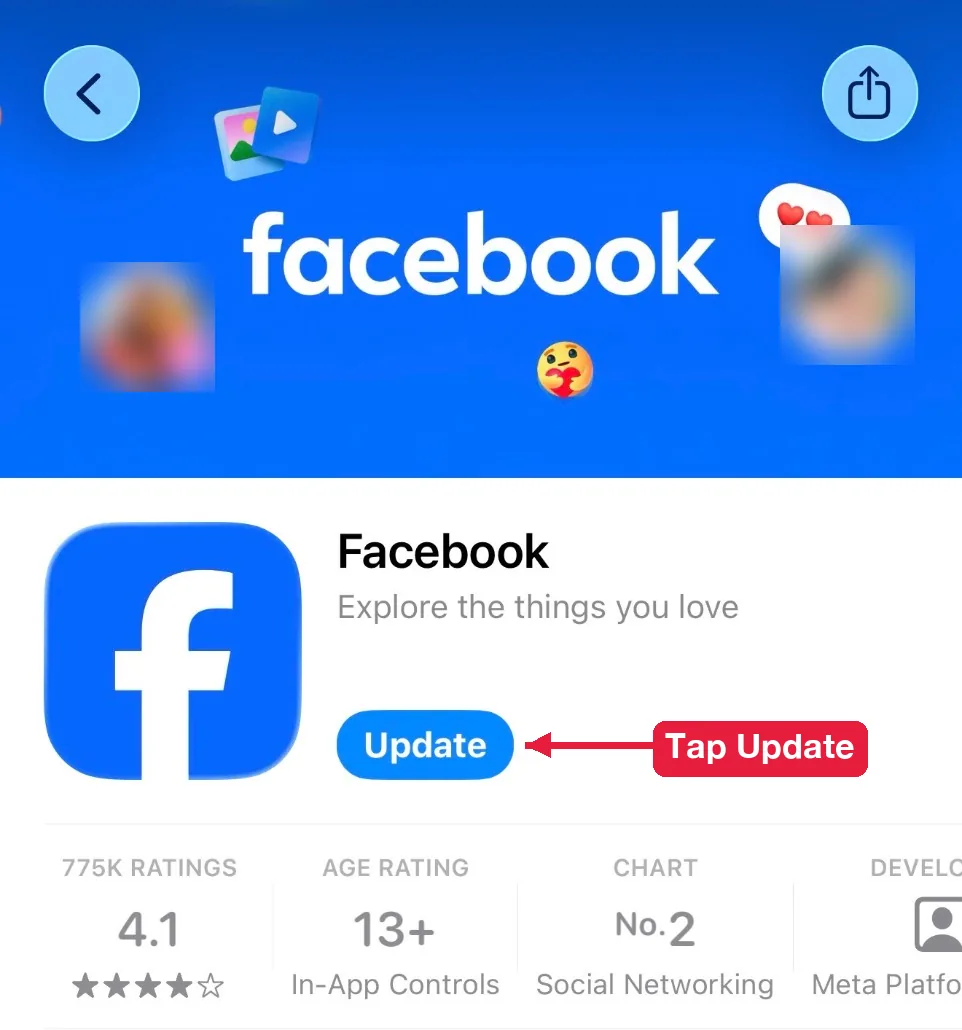
7. Your Facebook app is outdated
Old app versions fail to load newer story formats, like stories with music or link stickers.
Fix: update the app from the App Store or Google Play.
8. Your app cache is full or data saver is on
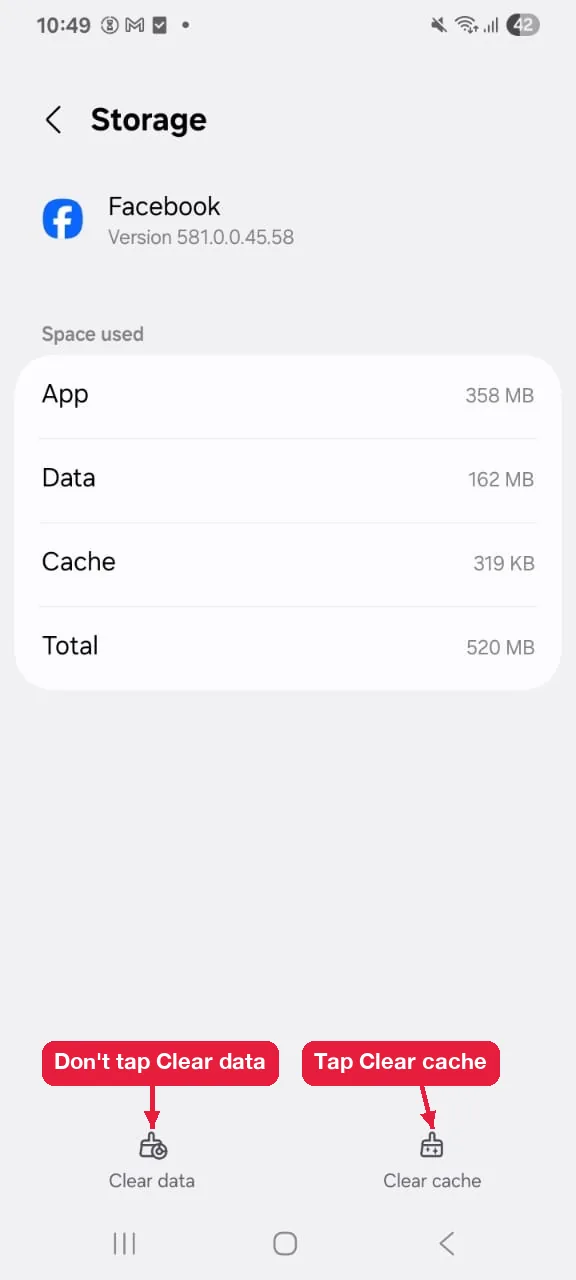
A full cache or data saver mode stops stories from loading. Videos stay blank or spin forever.
Fix on Android: go to Settings, then Apps, then Facebook, then Storage, and tap Clear cache. Don’t tap Clear data (called Clear storage on some phones), because that logs you out of Facebook.
Fix on iPhone: delete the Facebook app and install it again. iOS has no separate clear cache button for apps.
Also turn off data saver in Facebook’s media settings.
9. Your connection or VPN blocks the story
Slow connections load the tray but not the media, and some VPN servers get blocked by Facebook’s video servers.
Fix: switch between Wi-Fi and mobile data, and turn off your VPN for a minute.
10. You’re using the wrong link in a story viewer
Story viewers need a profile link. Links to posts, groups, events or Reels don’t point to a story tray, so they return nothing.
Fix: use a facebook.com/username link, a profile.php?id= link, a share link from the app, or just the username.
Still stuck? Run this 4 point check before anything else:
- Was the story posted less than 24 hours ago?
- Is it set to Public, or are you in the owner’s audience?
- Did you mute them, or did they hide stories from you?
- Is your app updated and your VPN off?
Why isn’t your own Facebook story showing or uploading?
Your own story doesn’t show when it’s stuck uploading, when your audience settings exclude people, or when your browser hides the stories row. Each one has a different fix.
Your story is stuck uploading
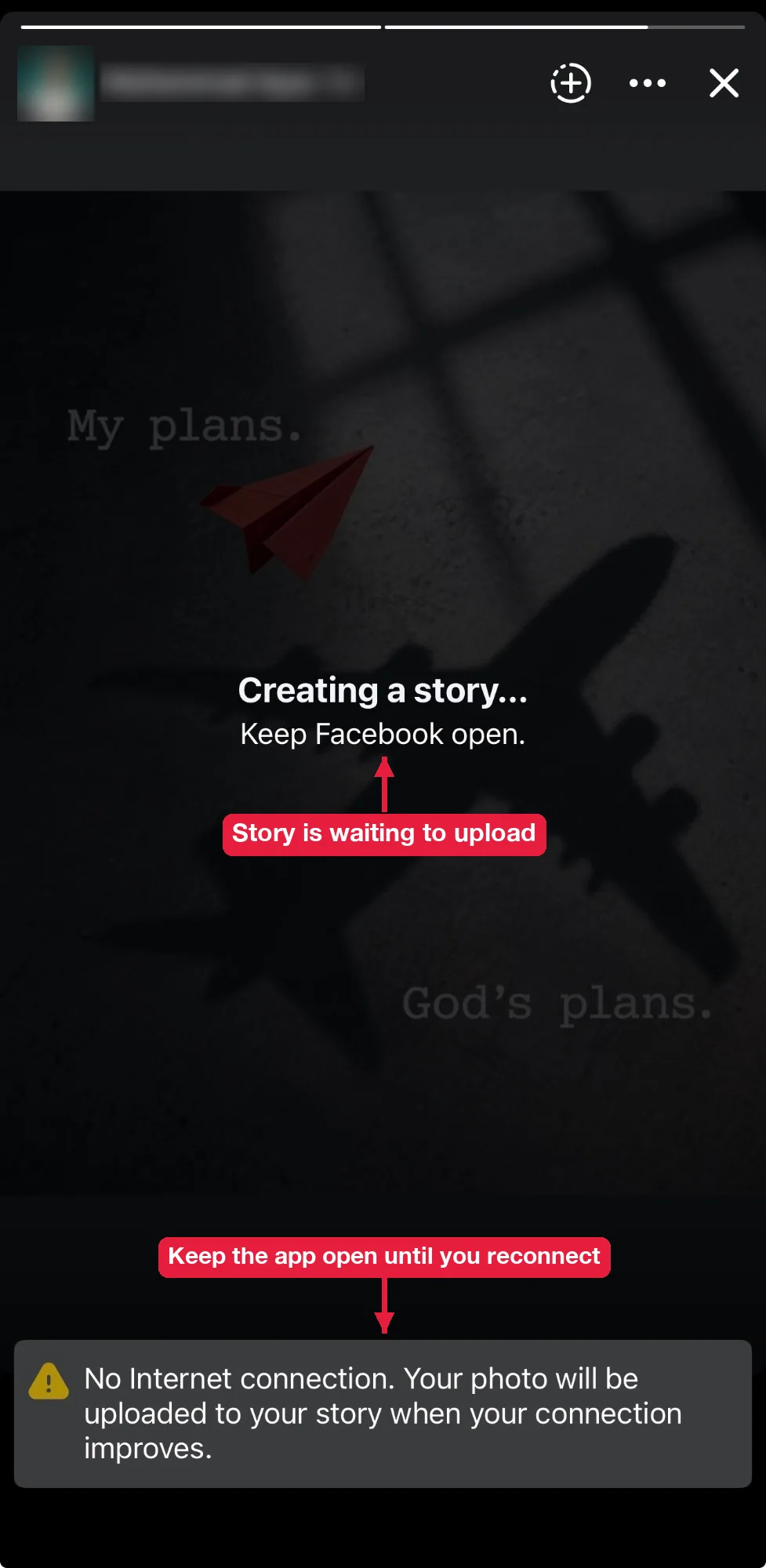
A story gets stuck when your connection drops or the file is too large. When you’re offline, Facebook shows Creating a story... Keep Facebook open and uploads it automatically once your connection comes back. So keep the app open and reconnect. If it still fails, tap the story and choose Retry, or trim the video, restart the app and post again on Wi-Fi.
Your friends can’t see your story
Your friends can’t see your story when it’s set to Custom without them, or when they’re on your “Hide story from” list. Open your story settings and check both. You can also see who viewed your Facebook story to confirm whether it’s reaching people.
Stories don’t show on desktop
The stories row on facebook.com sometimes collapses or gets hidden by ad blockers. Refresh the page, try a private window, or turn off extensions one by one.
Why can’t you see stories from a Facebook Page?
You can’t see a Page’s stories when you don’t follow the Page, or when you unfollowed it at some point. Page stories show in the tray for followers. Open the Page, check that the button says Following, and look for the story ring on its profile photo.
Why does a story open as a black or blank screen?
A story opens blank when the media hasn’t finished loading or when Facebook removed it for breaking its rules. Wait a few seconds on a strong connection. If it’s still blank after a restart, the story was probably taken down.
Can you see someone’s story after it expires?
No. Once a story expires, only the owner can see it in their Facebook story archive, unless they add it to their Highlights.