Facebook Story Archive: How to Find Old Stories and Keep Them on Your Profile
Find your old Facebook stories in the story archive, turn archiving on, and add stories to Highlights so they stay on your profile after 24 hours.

By Ayu Moz
Writer, Facebook Story Viewer
Last updated:
5 min read
Your Facebook story archive is a private folder where Facebook saves every story after its 24 hours are up. To open it, go to your profile, tap the three dots, tap Archive, then Story archive. Only you can see it.
If you want old stories to stay visible to other people, add them to Highlights. Both are covered below, starting with what actually happens to a story when it expires.
What happens to a Facebook story after 24 hours?
A Facebook story goes through 3 stages, from posting to the archive:
| Time | What happens | Who can see it |
|---|---|---|
| 0 to 24 hours | The story is live in the stories tray, and the viewer list fills up | Your chosen audience |
| At 24 hours | The story expires and leaves the tray | Nobody else |
| After 24 hours | The story sits in your archive (if archiving is on), and you can add it to Highlights | Only you, unless it’s in Highlights |
The viewer list ends with the live story, so check it while you still can. Here’s how to check who viewed your Facebook story before it expires.
How do you find old stories in your Facebook story archive?
You find old stories from your profile menu in the Facebook app.
- Tap your profile picture to open your profile.
- Tap the three dots next to Edit profile.
- Tap Archive.
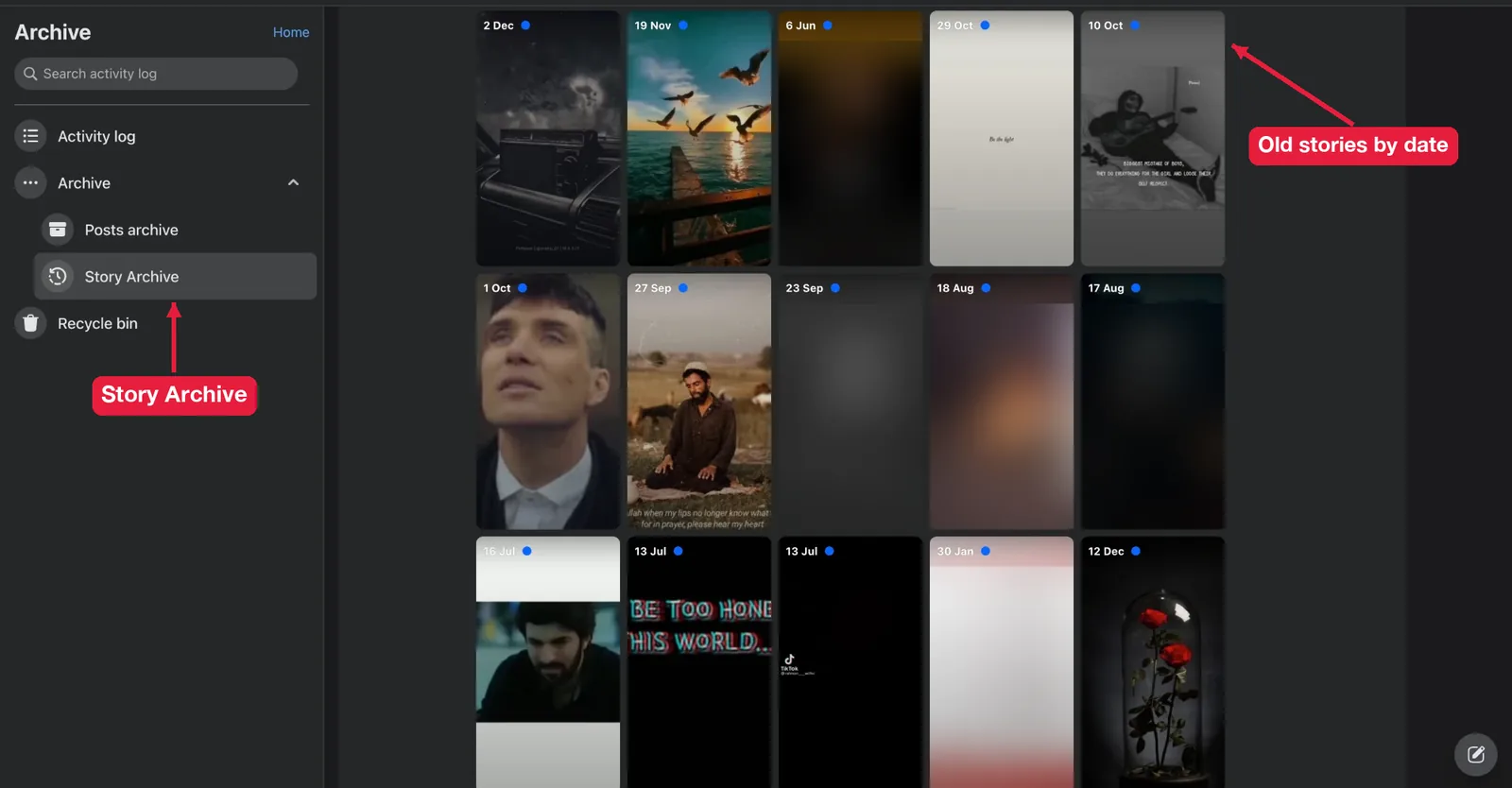
- Tap Story archive.
Your stories are sorted by date, newest first. Tap any story to open it full screen.
On a computer, go to your profile on facebook.com, click the three dots under your cover photo, then Archive, then Story archive. If you can’t find it, type “archive” into Facebook’s settings search. Facebook moves menu items between app versions.
How do you turn on story archiving?
You turn on story archiving from the story archive itself, not from the story editor. If it was off, the stories you posted during that time weren’t saved, and there’s no way to get them back.
- Tap your profile picture to open your profile.
- Tap the three dots next to Edit profile.
- Tap Archive, then Story archive.
- Tap the gear icon in the top corner.
- Turn on Save to archive.
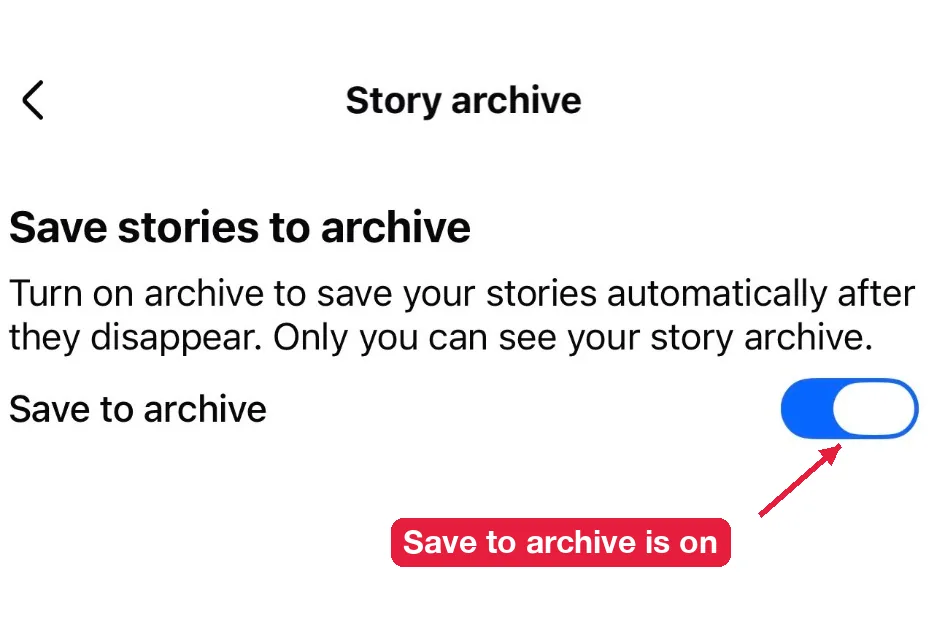
It’s on by default for most accounts. Check it anyway, especially if you’ve ever cleaned up your privacy settings.
How do you add old stories to Highlights?
You add stories to Highlights from the Highlights section on your profile. Highlights stay on your profile until you remove them.
- Go to your profile and scroll to Highlights (or Featured on some accounts).
- Tap New or the plus icon.
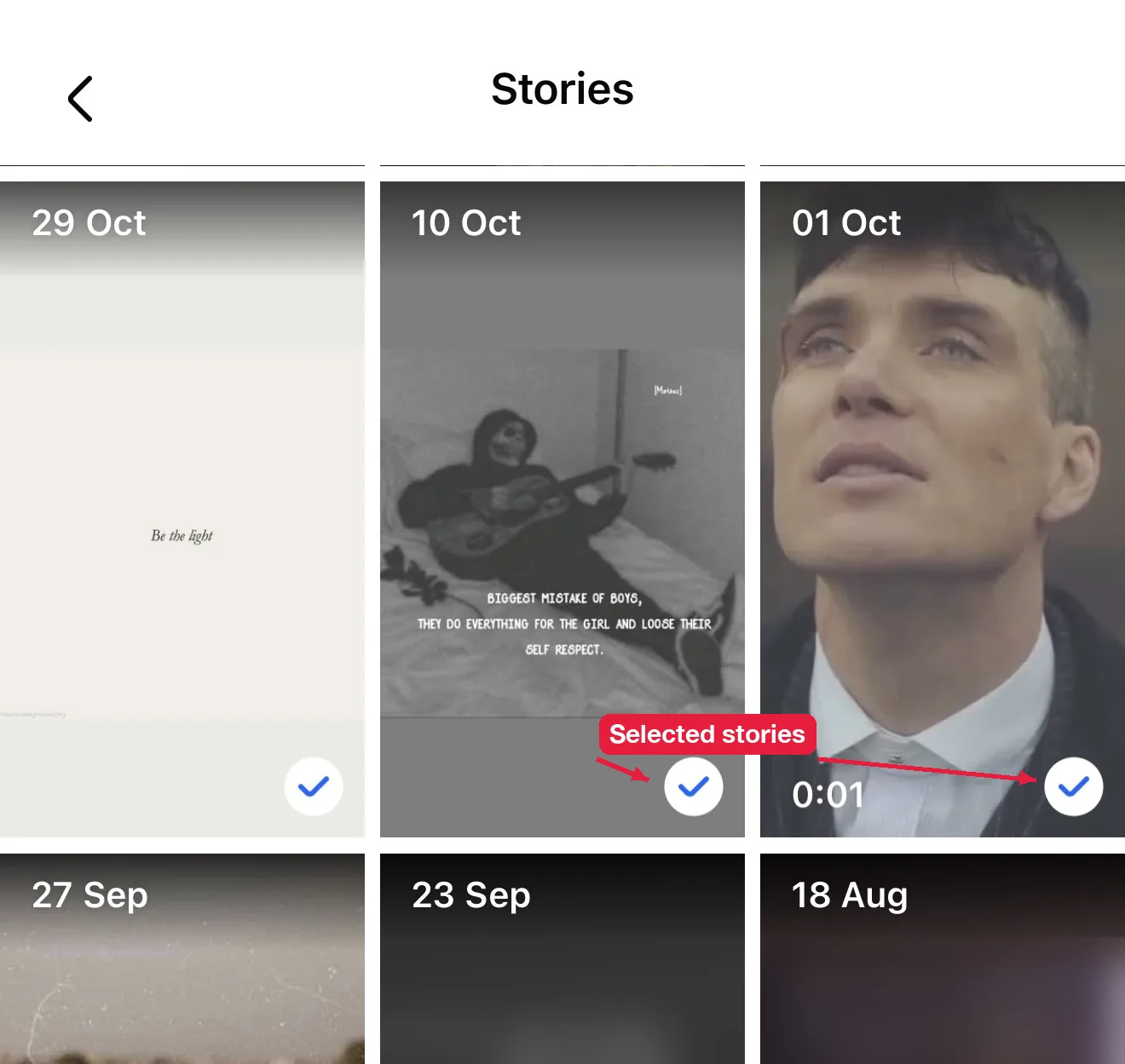
- Pick stories from your archive.
- Tap Next, give the Highlight a name and a cover.
- Choose who can see it, then tap Save.
Pick the audience carefully. A Highlight set to Public stays visible to anyone who opens your profile, for as long as you keep it there. That’s very different from a story that disappears after 24 hours.
You can edit a Highlight later to add or remove stories and change the order. Pages can create and manage Highlights in Meta Business Suite.
What else can you do with archived stories?
Archived stories aren’t just storage. You can save them, share them again, or delete them for good.
Save an old story to your phone
Open the story in your archive, tap the three dots, and tap Save photo or Save video. The file goes to your camera roll. For other people’s live public stories, here’s how to download Facebook stories on any device.
Share an old story again
Open the story in your archive, tap Share or the three dots, and choose to share it to your story. It goes live again for another 24 hours. This works well for anniversaries, throwbacks or a product you posted months ago.
Delete an old story
Open the story, tap the three dots, and tap Delete. It’s gone from your archive for good. The steps are the same as when you delete a Facebook story that’s still live.
Why is your story archive empty?
Your archive is empty when archiving was turned off, when the account is new, or when you deleted the stories yourself. Turn the setting on now. It only saves stories from that point forward.
How long does Facebook keep archived stories?
Facebook keeps them until you delete them. There’s no expiry date on your archive.
How do you download your whole story archive?
You download everything at once with Meta’s Download your information tool. Open Accounts Center, then Your information and permissions, then Download your information. Pick your Facebook profile, select stories (or everything), choose a date range and format, and request the file. Meta emails you when it’s ready.
How do you remove a story from Highlights?
Open the Highlight, tap the three dots, and tap Edit Highlight or the remove option on the card. The story leaves your profile but stays in your archive.
Can other people see your story archive?
No. Your story archive is private, and Facebook never shows it to anyone else. Only the stories you add to Highlights are visible, and only to the audience you pick for each Highlight.
Can you see someone else’s old stories?
No, unless they added them to Highlights. Once a story expires, it’s only in the owner’s private archive. No app or website can open it. If a live story is missing too, here’s why you can’t see someone’s Facebook story.